A multi-section page for tracking events across all departments
Calendar
One of the All Calendars. This tab contains multiple views. The “Student List” view shows an alphabetical list of every student enrolled in the school. Next to each student’s name is listed what the student is currently doing and where they are (what building). To the side are time blocks showing what events are on the student’s calendar.
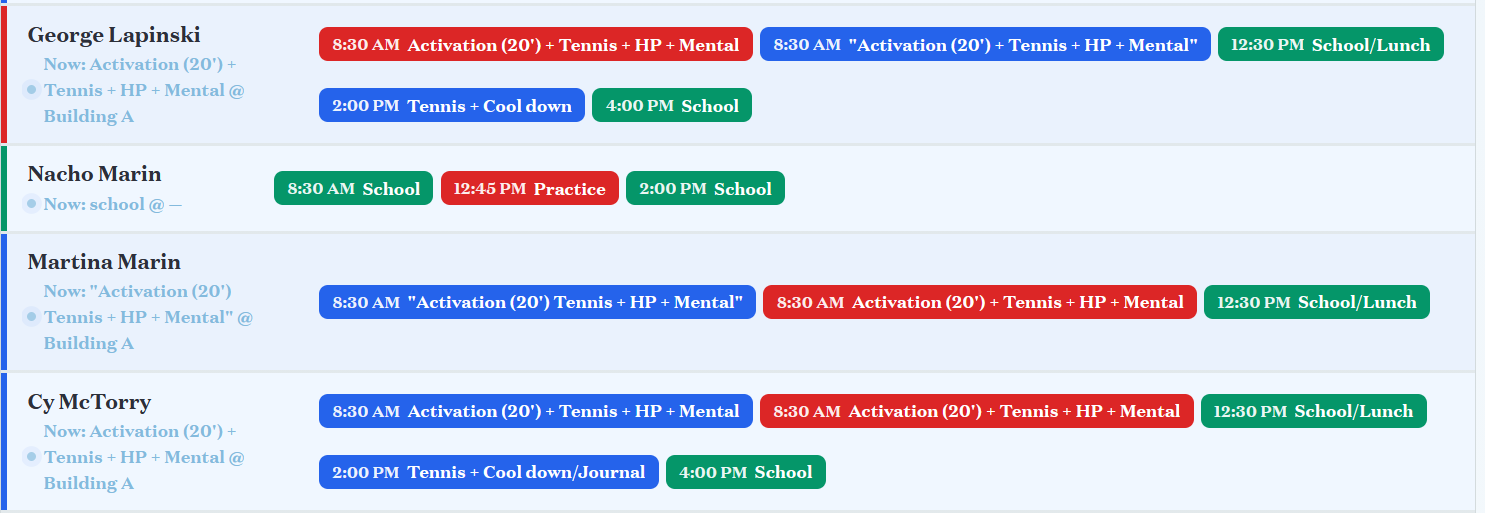
Admins can search by student name, change the date to see a different day’s view, and filter by event type (Tennis, Academic, etc.), group (14U Elite, Track Academy, etc.), or location.
Clicking a student’s name brings up that student’s schedule view in the Full Time Academy SIS.
Do we need this view of student schedules? What does it provide can't be found in the Full Time Academy page?
Changing from “Student List” to “Program View” sorts the students into columns by their program (Tennis, School, etc.)
Program view has the option to click “display mode” and see a full screen kiosk view of the page. Clicking a student’s name goes to the SIS and exits Kiosk view.
There is an "analytics" button with questionable utility. Is it neede ^o68td?
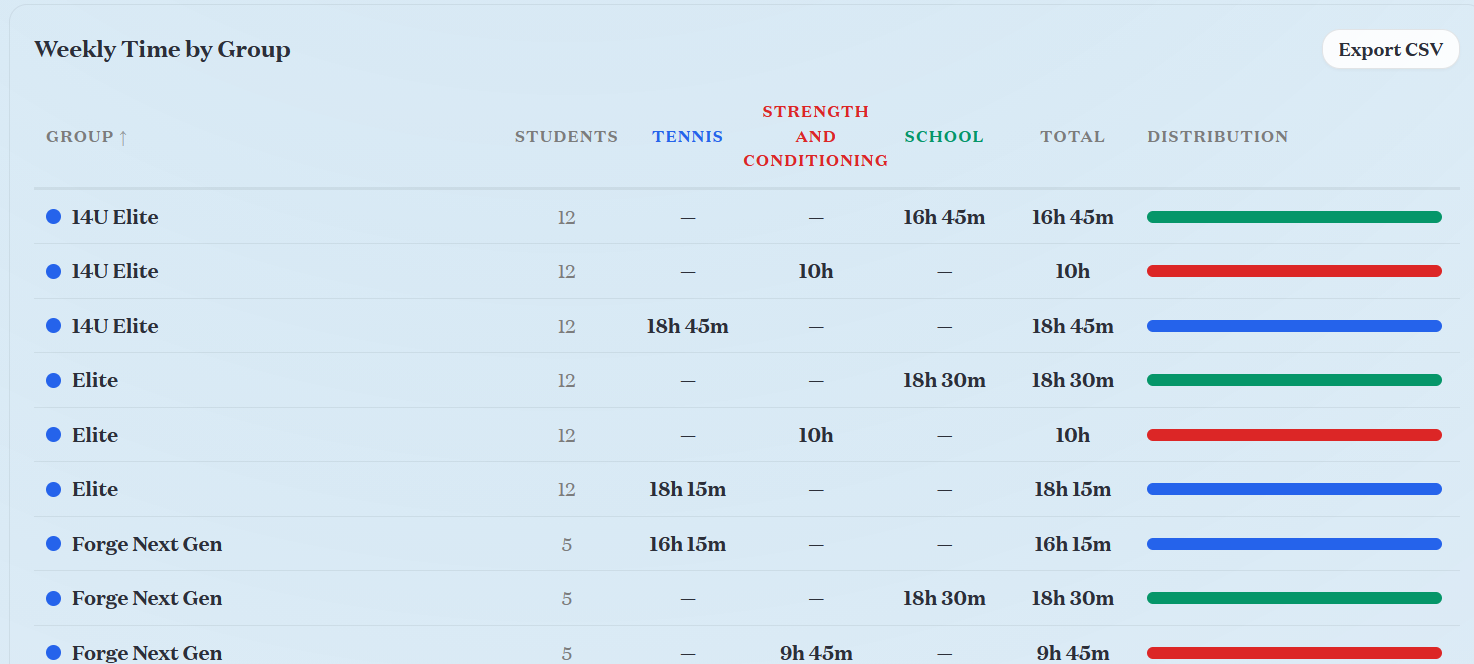
There are other tabs for the three main program areas (Tennis, S&C, and Academics). Clicking on a tab allows the users to view the groups (Elite, Forge Next Gen, etc.) and create weekly templates for that group.
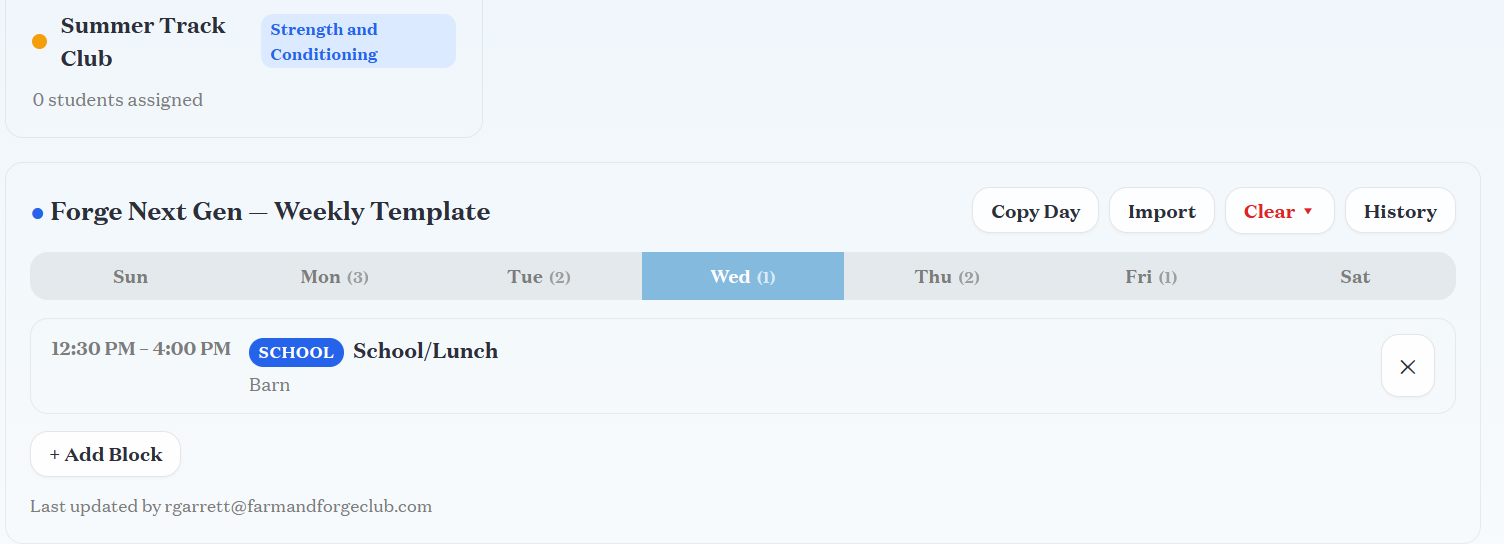
UI is not-intuitive. It took significant experimentation to discover what these sections di ^m25id.
There is no way to apply events to multiple templates at once or create a universal event. Is that needed or unnecessary? It is impossible to add an individual event (ie: this occurs at 2pm on Thursday June 4), only to add blocks into the weekly templat ^mrx1e.