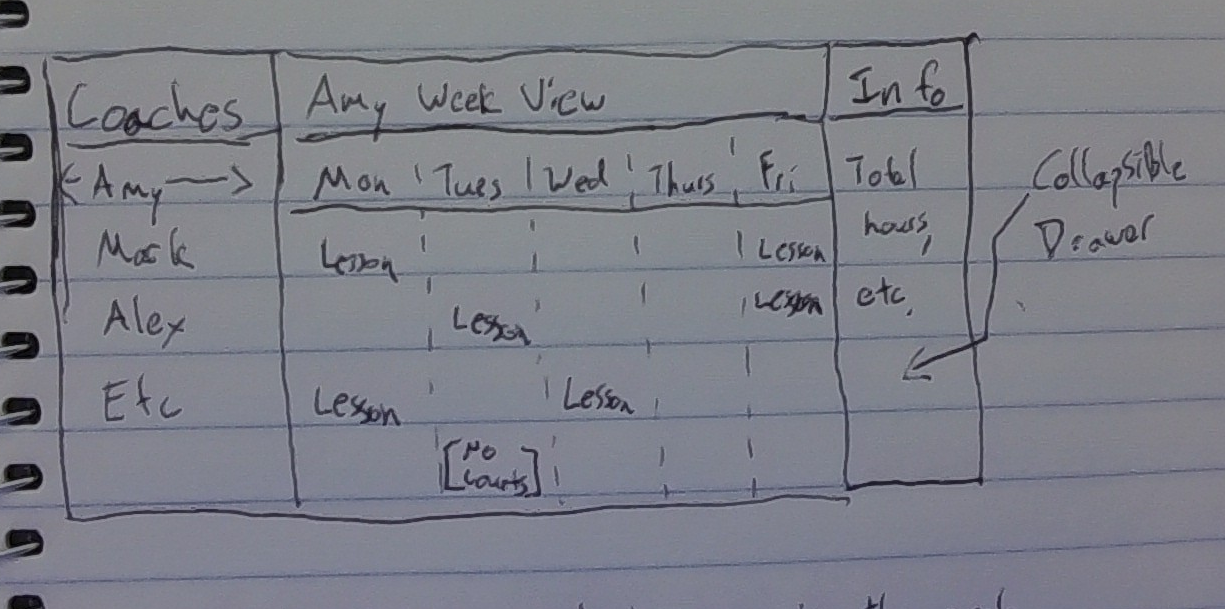
This Screen combines the Coaches’ Schedule page from the Tennis Admin section of the Prototype with lesson booking.
Left Pane - Coaches
- Clicking on a coach’s name loads their weekly schedule in the central pane.
- Coach names can be filtered with search tool. (Alpine hide/show on fully loaded list)
- Left pane has its own scroll bar
Central Pane - Week View
- The selected coach’s calendar is highlighted in a week view.
- Clicking a time slot in the calendar lets you add a lesson
- When no courts are available for a given time slot, show a no courts block similar to the Google Calendar busy blocks.
- When booking a lesson, automatically populate with an available court, but allow manual overriding to a different court.
- If user is a Tennis Admin, allow a button to override the available hours for a given day (change their shift)
Right Pane - Info
- Collapsible Drawer, only visible to users with coach admin rights.
- Tennis Admin can standard available hours in this pane (Monday, 8am-4pm; Tuesdays, 9am-2pm)
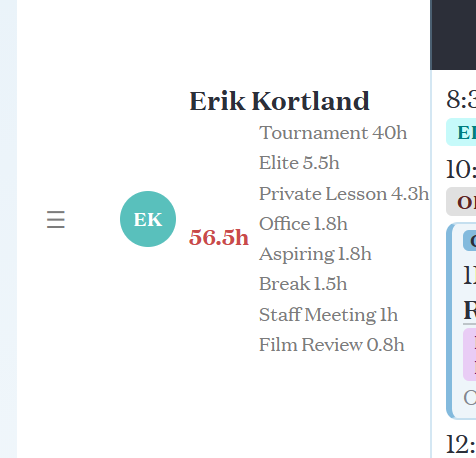
- Shows information about the highlighted coach, including total number of hours worked and how many hours for each cohort/meeting type